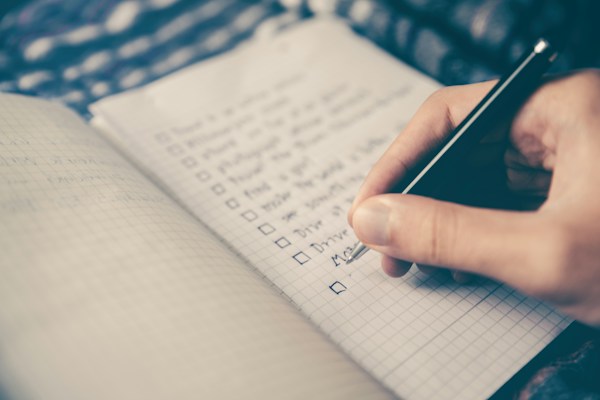
You probably don't think of your to-do list as personal data
But it is. Your grocery list reveals your diet. Your daily tasks hint at your job, your habits, your struggles. A reminder to "call therapist" or "pick up prescription" says more about you than most social media posts ever will.
And yet, most of us hand that information over without a second thought — to apps that sync everything to the cloud, require an account just to jot down "buy milk," and bury their data practices in 40-page privacy policies nobody reads.
The quiet data grab behind most task apps
Here's what typically happens when you sign up for a popular to-do app. You create an account with your email. The app asks for calendar access, maybe contacts. Your tasks get synced to a server — sometimes encrypted, sometimes not.
Then your data starts working for someone else. It gets analyzed for engagement patterns. It might feed recommendation algorithms. In some cases, it's the hidden cost of using a "free" app — your habits become the product.
If you're not paying for the product, you are the product. And if you are paying but your data still gets harvested, that's even worse.
Think about everything you've ever typed into a task manager. Work deadlines with client names. Medical appointments. Financial reminders. Personal goals you haven't told anyone about. That's a remarkably detailed portrait of your life, sitting on someone else's server.
What "privacy-friendly" actually means in a to-do app
Not every app that claims to respect your privacy actually does. Here's what to look for when choosing a private todo app that genuinely keeps your data yours.
No account required. If an app demands your email before you can write your first task, ask yourself why. A to-do list doesn't need to know who you are. The best privacy-respecting apps let you start immediately — no sign-up, no verification, no profile. Offline-first storage. Your tasks should live on your device, not on a remote server. Offline-first means the app works without an internet connection, and your data never has to leave your phone. No cloud sync means no cloud breach. No analytics or tracking. Many apps embed trackers that monitor how you use the app, what you tap, how long you spend on each screen. A genuinely private app skips all of that. Transparent business model. If the app is free with no ads and no subscription, how does the company make money? A one-time purchase model is one of the clearest signals that your data isn't the revenue stream.A quick privacy checklist before you download
Before installing any task manager, run through these questions:
- Does it work offline? Open it in airplane mode. If it won't let you add a task, your data depends on their servers.
- Does it require an account? If yes, what information does it ask for — and why?
- What permissions does it request? A to-do app doesn't need access to your contacts, location, or microphone.
- Is there a privacy policy you can actually read? Look for short, plain-language policies. If it takes a law degree to understand, that's a red flag.
- How does the company make money? Ads, subscriptions, data licensing, or a simple one-time purchase? The answer tells you everything.
Real scenarios where this matters
The job seeker. You're quietly looking for a new role while still employed. Your to-do list has items like "update LinkedIn," "prep for interview at [Company]," and "research salary ranges." If that data syncs to a cloud service with weak security, a breach could make things awkward fast. The parent managing health tasks. Reminders for medication, therapy appointments, specialist visits — all logged in your task app. That's sensitive health-adjacent data, and it deserves the same care as the information you'd protect in a private health tracker. The budget-conscious planner. Your to-do list doubles as a financial planning tool — "cancel streaming service," "call bank about overdraft," "compare insurance quotes." Combined with a private budget app, that's a full picture of your financial life. You probably don't want it on someone else's server.You don't need much — just something that stays out of your way
The irony of most modern task apps is that they try to do everything. They want to be your project manager, your calendar, your collaboration platform, your second brain. And all that complexity comes with a cost — not just in money, but in data.
Sometimes what you really need is a simple list. Something that lets you write down what matters today, check things off, and move on with your life. Apps like sLists take that approach — offline, no account, no fuss. You open it, you write your list, and your data stays on your device. It even has an auto-reset feature for recurring routines, which is genuinely useful if you're the kind of person who reuses the same packing list or morning checklist.
That's not a sales pitch. It's just what a private todo app should look like in practice.
The bigger picture: privacy is a habit
Choosing a private to-do app isn't going to make you invisible on the internet. But it's one of those small, deliberate choices — like tracking your weight locally instead of uploading it, or using a period tracker that doesn't need an account — that adds up over time.
Every app you use is a decision about who gets access to a piece of your life. And the more personal the data, the more that decision matters. Your tasks, your reminders, your daily plans — those are the scaffolding of your life. They shouldn't belong to anyone but you.
Not every choice needs to be dramatic. Sometimes the most powerful thing you can do is simply keep your list to yourself.
Your routines. Your lists. Your data. Yours.