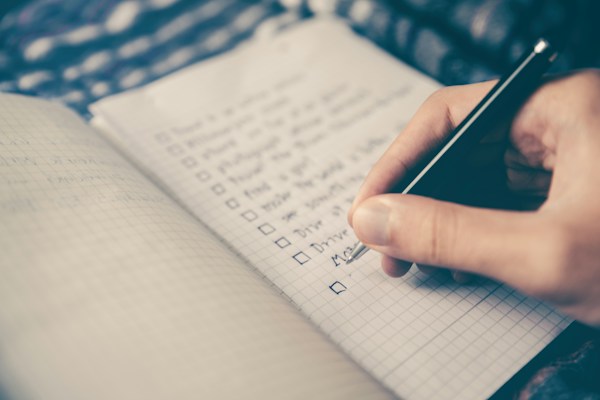
You Already Know What You Need to Do — Why Pay Monthly for a Reminder?
Let's be honest. You don't need an AI-powered task manager with Kanban boards, team collaboration features, and a Slack integration just to remember to buy milk.
Most of us have simple needs. A grocery list. A morning routine. A few errands to knock out on Saturday. And yet, the productivity app industry has somehow convinced us that managing a to-do list should cost as much as a streaming subscription.
It shouldn't.The Subscription Creep Nobody Talks About
You probably already pay monthly for music, movies, cloud storage, maybe a news site or two. Each one feels small — a few dollars here, a few euros there. But they add up fast.
Now ask yourself: does your to-do list really need to be one of them?
Subscription-based task apps often justify recurring fees with features most people never touch. Shared workspaces. Priority support. Cloud sync across unlimited devices. These are tools built for project managers, not for someone who just wants to check off "call the dentist" and move on with their day.
If you've ever felt a pang of guilt canceling a productivity app you barely used, you're not alone. That's the subscription model working as designed — the hidden cost of free and "freemium" apps goes well beyond the price tag.
What a One Time Purchase Todo App Actually Looks Like
A good one-time purchase todo app does exactly what you'd expect. You pay once, you own it, and it works. No trial periods. No "upgrade to unlock." No monthly emails reminding you that your plan is about to renew.
Here's what you should look for:
- No account required. You shouldn't need to hand over your email just to write a shopping list.
- Offline-first. Your tasks should be available whether you're on a plane, in a basement, or just having a bad Wi-Fi day.
- Privacy by design. Your to-do list is nobody's business. Not the app developer's. Not an advertiser's. Not a data broker's.
- Simplicity. If the app needs a tutorial, it's too complicated for what it does.
These aren't radical ideas. They're just uncommon in a market that rewards complexity and recurring revenue.
Real Life Doesn't Need a Gantt Chart
Think about the lists you actually use day to day.
Maybe it's a packing checklist you reuse every time you travel. A weekly meal plan. A list of things to grab at the hardware store. A simple morning routine — make the bed, stretch, journal, coffee.
These lists don't change much. They don't need version history or team permissions. They just need to be there when you reach for your phone.
Some of the most useful lists are the ones that reset themselves automatically — your daily routine snaps back to unchecked every morning, ready to go again. No fiddling, no rebuilding. That's the kind of thoughtful feature that actually saves time, as opposed to the feature bloat that just looks good on a pricing page.
The Privacy Angle Most People Miss
Here's something worth considering: every task you type into a cloud-synced, account-based app is data. Data that gets stored on someone else's server. Data that could be analyzed, profiled, or breached.
Your to-do list might seem harmless, but it paints a surprisingly detailed picture of your life. Doctor appointments. Financial tasks. Personal reminders. It's intimate in a way people rarely think about.
A one time purchase todo app that works offline and stores everything on your device sidesteps this entirely. No servers. No accounts. No data to leak. It's the same principle behind choosing a private weight tracker or a period tracker that doesn't require an account — some data just belongs to you.
Simplicity Is a Feature, Not a Limitation
There's a cultural bias in tech toward "more." More features, more integrations, more options. But when it comes to daily task management, simplicity isn't a compromise. It's the whole point.
The best to-do system is the one you actually use. And you're far more likely to use something lightweight and instant than something that asks you to categorize, prioritize, tag, and color-code every item before you can check it off.
sLists was built around this idea — a simple, private to-do list you buy once and own forever. No account, no cloud, no subscription. Just your lists, on your device, ready when you are.How to Break Up With Your Subscription Todo App
If you're ready to simplify, here's a practical approach:
1. Audit what you actually use. Open your current app. How many of its features do you touch weekly? If the answer is "lists and checkboxes," you're overpaying. 2. Export your lists. Most apps let you export or at least copy your tasks. Do this before you cancel. 3. Pick a one-time purchase alternative. Look for offline support, no sign-up requirement, and a clean interface. Pay once. Move on. 4. Cancel and reclaim that budget. Even $3–5/month is $36–60/year. That's real money for something your phone's notes app could almost do.
While you're at it, consider running the same audit on other subscriptions. Your monthly budget review might reveal a few more quiet drains you've been ignoring.
You Don't Need More Features — You Need Less Friction
The best productivity tool is the one that gets out of your way. It doesn't ping you with upgrade prompts. It doesn't require Wi-Fi. It doesn't ask for your email, your birthday, or your credit card.
It just lets you write down what you need to do — and check it off when it's done.
That's it. That's the whole thing.
Your routines. Your lists. Your time back.